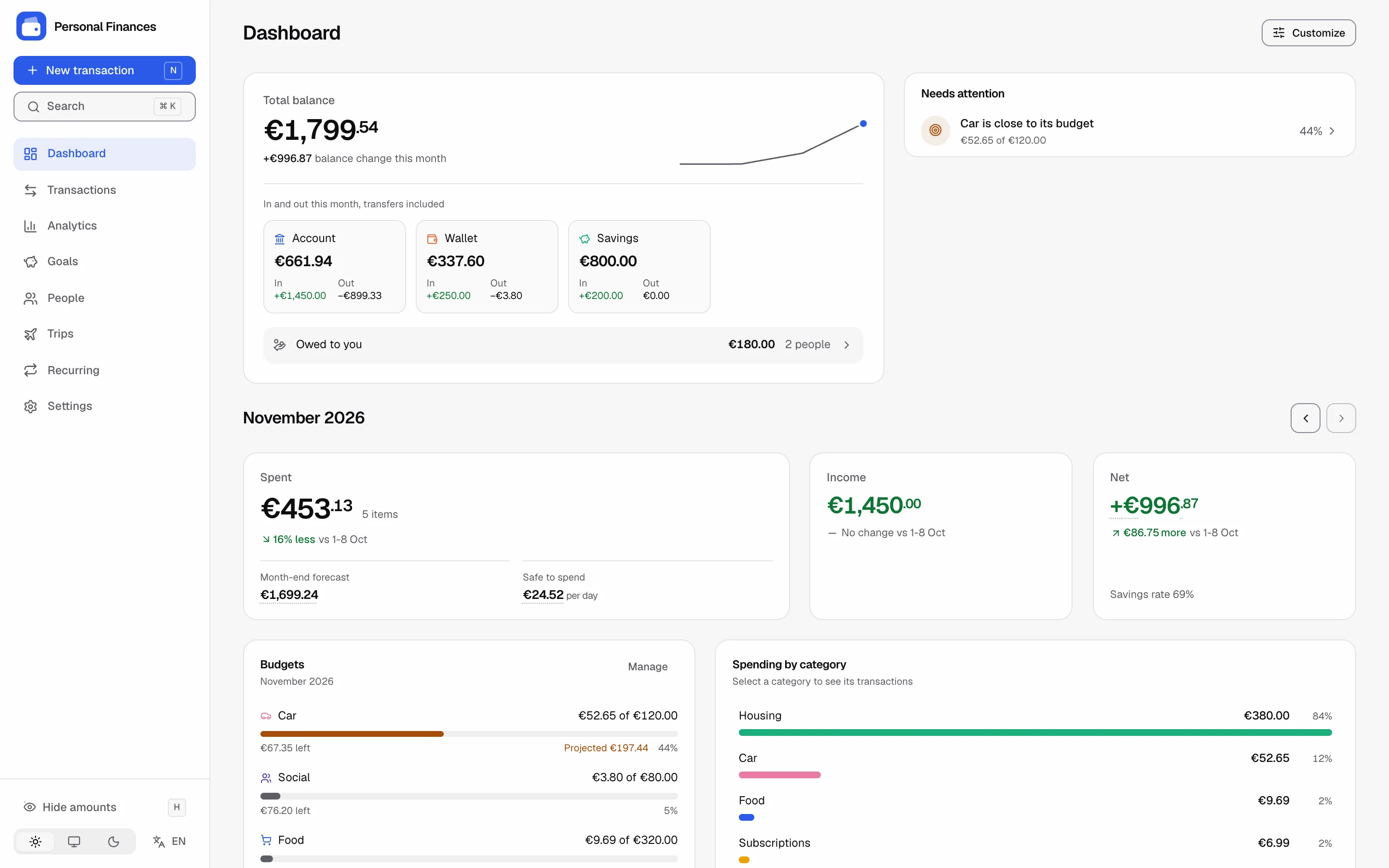
Every transaction, in one place
Search, filter and edit in bulk. Import CSV or Excel files from your bank, check every row before it is saved, and export the same way.

Track spending, budgets, bills and savings goals in euros or any currency. Free, private, and on every device.
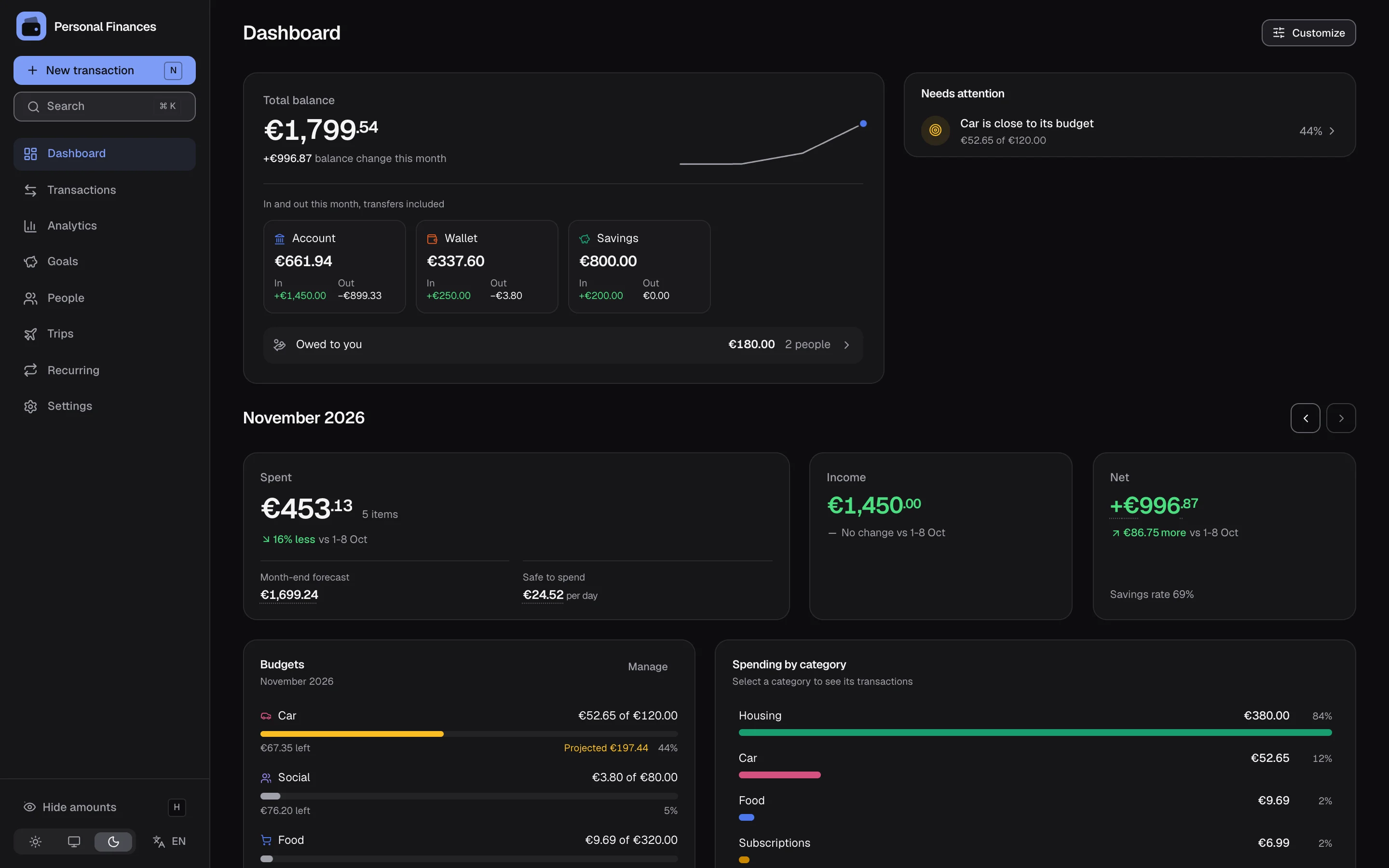

Pick an example month and watch where the money goes.
Ana, student in Podgorica. Splits rent with two flatmates and keeps coffee money in a wallet account. A budget per category keeps the month going until the 30th.
Nikola, working in Zurich. Paid in francs, saving in euros, sending money home. Each account keeps its own currency, and the totals show in euros.
Ivana, freelancer in Budva. Income comes in uneven months. Trends show the real average, and a goal puts money aside for taxes every month.
Example months, not real people's data.
Add a purchase in two taps, or bring a year of history from your bank or a spreadsheet.
Search, filter and edit in bulk. Import CSV or Excel files from your bank, check every row before it is saved, and export the same way.
A monthly limit per category, and a heads up when the month's pace will go past it.

Who owes you what, when it is due, and every repayment along the way.

Rent, subscriptions and salary come back every month. Approve them with one tap when they are due.

Each account keeps its own currency. Totals turn into euros at the day's rate.
Put money aside by hand, or link a goal to a savings account and let it follow the balance.

From the first coffee to payday, on your phone.
Two taps and the coffee, the fuel or the rent is in, with earlier descriptions suggested as you type.

Spending by category and by month, and how this month compares with the last.

A goal for the next big thing, with a date and what each month needs to get there.

Home shows what is left after bills and budgets, so you can say yes to dinner without guessing.
Spending by category and month, what came in against what went out, and how this month compares with the last.


It works, until the month gets busy. Here is what changes.
 Personal Finances
Type purchases in later, at home, if you remember
Add them on your phone in two taps, where you paid
Copy the bank's export by hand
Import the bank's CSV or Excel file, with duplicates caught
Formulas break when a row is added
Totals, budgets and trends add up by themselves
Find out at the end of the month that you overspent
A warning while there is still time
Remember every bill yourself
Bills come back each month, ready to approve
Convert currencies by hand
Each account in its own currency, totals in euros
Small details that make it easy to keep going.
Follows your system, or pick one yourself.
Press H and every amount blurs, for when someone can see your screen.
The whole app in both. Switch any time.
When it arrives, set aside bills, goals and budgets first and see what is free.
Wait the days you chose before buying. Dropped wishes count as money not spent.
A budget per trip, spending per day and every payment from it together.
Payments that repeat are found in your history and suggested as bills.
Debts sit next to loans, so you see both sides.
Find any payment in seconds and change many at once.
Registration or insurance split into what to put aside each month.
A spreadsheet or one complete file, whenever you want.
The Windows app opens on your phone over home Wi-Fi, behind a PIN.
No ads, no tracking, no selling data. The app exists to show you your money, and only you.
Every account sees only its own data. No sharing, no feed, no public profile.
Your data lives on a server in Frankfurt, with encrypted backups every night.
Download everything at any time, as a spreadsheet or one complete file.
Delete your account in Settings and your data goes with it, at once.
Add it on one, see it on the other a second later.
Sign in on your phone, tablet or computer. Add something on one and it shows up on the others straight away.
Add it to a phone's home screen and it opens full screen, with swipe to edit and pull to refresh.
Prefer to keep everything on your own computer? The Windows app works offline, needs no account and updates itself.
Download for WindowsI built this for my own money first: no bank passwords, no ads, nothing sold. Then I made it free for everyone.
Luka VučinićMade it, in PodgoricaShort, plain reads on budgets and saving.
A simple way to build a monthly household budget in euros: what comes in, the fixed bills, real spending, and limits that hold until payday.
What the 50/30/20 budgeting rule means, how to work it out from your net income, and when it is worth bending the numbers.
How big an emergency fund should be, what counts as an emergency, where to keep the money and how to build it a little each month.
Something else? Write to hello@efinansije.eu.org.
Yes. There is no paid plan and no ads.
No. The app never asks for a bank password. Add payments by hand, or import the file your bank lets you download.
In the web app, on a server in Frankfurt, Germany, with encrypted nightly backups. In the Windows app, only on your own computer. The privacy policy has the details.
Yes. Upload a CSV, Excel or OpenDocument file, see every row with any problems and duplicates marked, then save. Exports import back exactly.
Yes, in the browser. Add it to your home screen and it opens full screen, like an app.
Any. Each account keeps its own currency, and totals turn into euros at the day's exchange rate.
The Windows app works fully offline. The web app needs an internet connection.
The web app needs an account and keeps your devices in sync. The Windows app needs no account, keeps its data on your computer and works without internet.
Settings, Account, Delete account. Your data and your sign-in are removed at once; copies in the backups are gone within 30 days.
Create an account with your email or Google and add your first expense in under a minute.
Open the app